
Give your agent
a real computer.
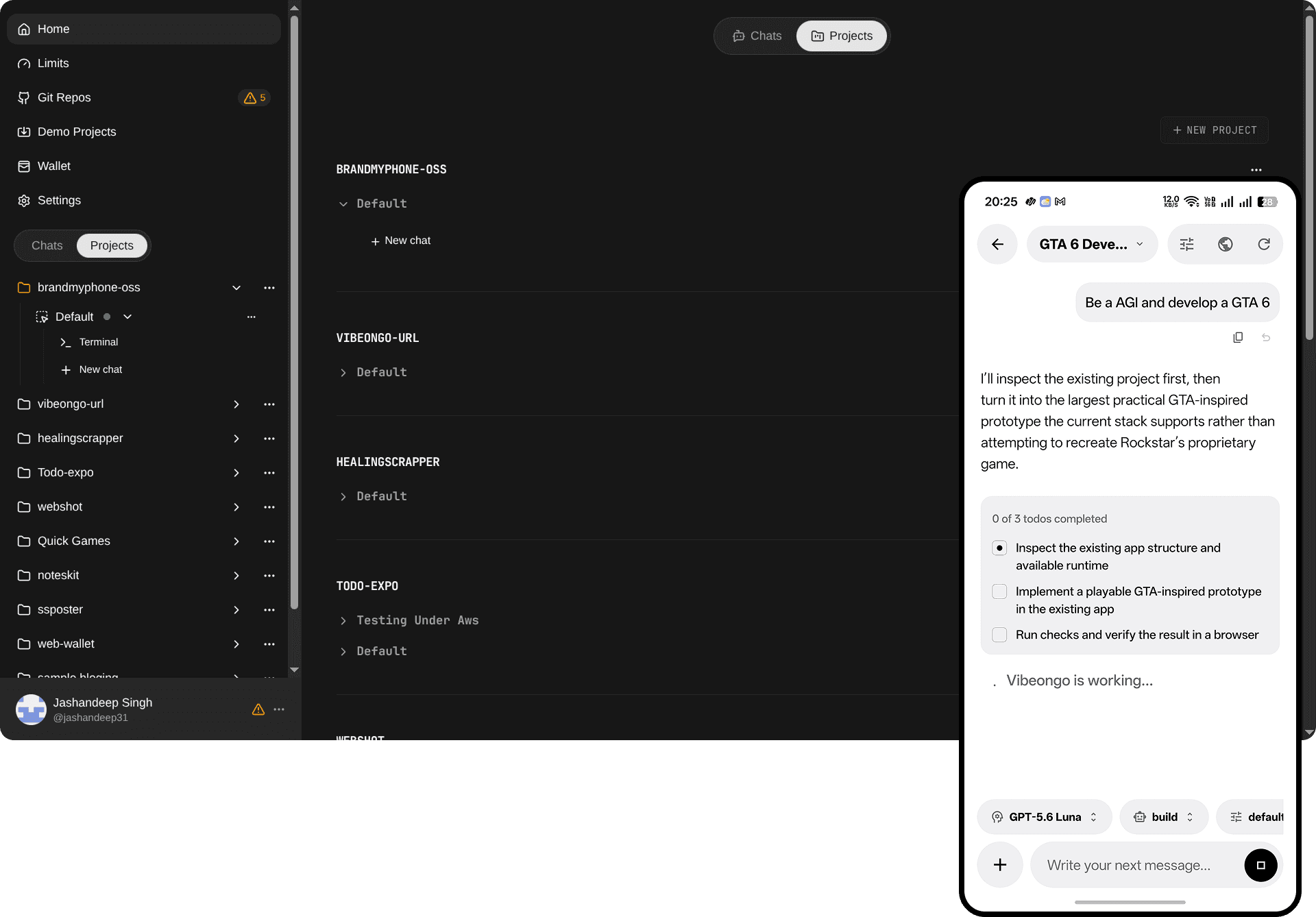
Build, run, review and ship in one place.
VibeOnGo doesn't replace Git, your cloud or your agent. It connects them into one workflow with a reproducible environment for every task.
Connect your code
Bring a GitHub repository or create one on the built-in Forgejo. Attach one or many repos to a project.
Describe the environment once
Scripts, Docker services, preview ports, SSH keys and agent config become a reusable project blueprint.
Launch a session
Pick a VM or sandbox and add tasks. Each session gets its own isolated runtime, so agents never collide.
Work with the agent
Chat, answer questions, inspect tool calls and open terminals — from the browser or the Android app.
Preview and ship
Test on a live HTTPS URL, run checks, and send the work back through a pull request to a protected main.
Shut it down
Stop the runtime yourself or let auto-expiry do it. Your blueprint and session history stay for next time.
Not just a chat.
A whole workspace.
Every service gets a secure live URL.
Turn localhost into an HTTPS preview through VibeOnGo's proxy. Test UI changes, webhooks and APIs — or open the build on your phone. No certificates, tunnels or temporary deploys.
Terminals that stay alive.
Every terminal runs in tmux. Close the tab, switch to your phone, come back — the build is still running.
Parallel agents, zero collisions.
Each session gets its own runtime and working tree. One agent builds a feature while another reviews a PR.
Your agent, next to your code.
Codex, OpenCode, Pi and T3 Code read files, run tests, use Git and talk to the dev server. Save credentials once and reuse them across projects. Choose Build, Plan, Resolve issue or Review PR roles.
Multiple repos
Many repos per project, each in its own folder.
Docker services
Postgres, Redis and friends start with the app.
VM or sandbox
Full machines or fast, disposable sandboxes.
Auto-shutdown
Idle compute stops itself. You pay for work.
Your backlog moves while you sleep.
Save ordered prompts, target paths, roles and models as an automation. Every run gets its own isolated session, a tracked status and a result you can rate.
Manual
Run a saved set of agent tasks with one tap, from web or mobile.
Schedule
Cron in your own timezone for maintenance and health reports.
Webhook
Any system can start a run. Secrets are hashed and rotatable.
Sentry
A new production error becomes an investigation session.
Review every new PR
pr-reviewer · runs on pull_request.opened
Example run history
- Review new PR #139webhook
- Investigate TypeError in checkoutsentry
- Weekly dependency reportschedule
Not every repo
needs GitHub.
Every VibeOnGo account comes with its own Forgejo account. Create, fork or template a repository in seconds — issues, pull requests, automations and the mobile app all work the same way.
New repo
Start from scratch.
Fork
Bring any public repo.
Template
Start from a demo.
Prefer your own Git client? Set a Forgejo password in Settings and push over HTTPS.
you/side-project #1
Example: Fix login redirect · reviewed
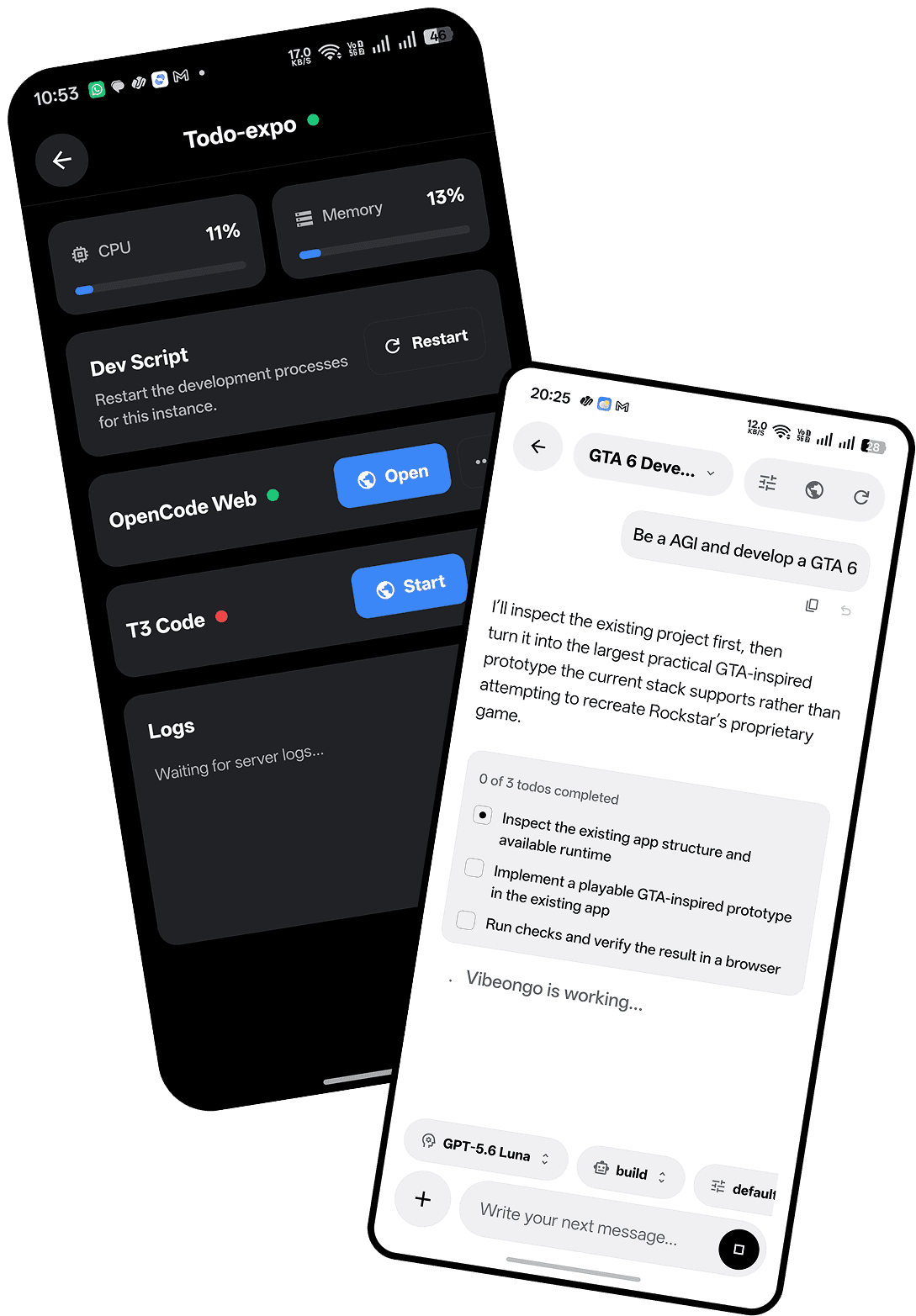
Your workspace. Now on Android.
The code and the agent run in the cloud — your phone just steers. Start a task at your desk, answer a question on the train, open the preview and ship the PR from anywhere.

Configure once. Launch anywhere.
Save the repository, scripts, services, network rules, keys, and agent setup as a project blueprint. Every new session starts from the same known state.
project: vibeongo
repository: github.com/.../vibeongo
agent: codex
services: [postgres, valkey]
preview_ports: [3000, 8080]
auto_stop: 60m
✓ Ready to launch
Launch target
Docker services
Setup scripts
Network rules
SSH keys
Preview ports
Multiple repos
Agent config
Auto shutdown
Agents propose.
Humans merge.
Encrypted configuration
Project files, agent config and keys are stored with authenticated AES‑256 encryption.
Repo-scoped credentials
Tokens only reach their own repositories, and are renewed and redacted.
Restricted agent tools
Git operations and provider API calls go through an allowlist, not arbitrary commands.
Temporary by default
Runtimes expire on their own, taking compute and credentials with them.
Pay for the work, not the waiting.
Choose a full VM or a disposable sandbox. Usage is metered while it runs, and automatic expiration helps stop idle compute from draining your wallet.
Questions, answered.
Is VibeOnGo an online code editor?
It's broader than an editor. VibeOnGo manages a complete remote development environment: repositories, terminals, agents, services, previews, automations and the runtime lifecycle.
Does the code run on my phone?
No. The code and the agent run in a cloud VM or sandbox. The Android app displays and controls the remote session.
Do I need a GitHub account for my repos?
You sign in with GitHub, but your repositories don't have to live there. Every account gets a built-in Forgejo account where you can create, fork or template repositories.
Which coding agents are supported?
Codex, OpenCode, Pi and T3 Code. Save your agent configuration once and reuse it across projects.
What happens when I close the browser?
Terminal commands keep running in tmux. The runtime stays available until you terminate it or it reaches its expiration time.
How is cost controlled?
Runtime usage is metered and visible in your wallet. Sessions have configurable auto-shutdown, so idle compute doesn't keep running.
Is agent output safe to merge automatically?
No — and VibeOnGo doesn't pretend it is. Agent work arrives through a pull request so you can run checks and review before merging.
Is VibeOnGo open source?
Yes, the source is public on GitHub under the Elastic License 2.0. Read the license before redistributing it or offering it as a managed service.
From idea to running code, without returning to your desk.
Bring a repository and a task. VibeOnGo prepares everything else.